

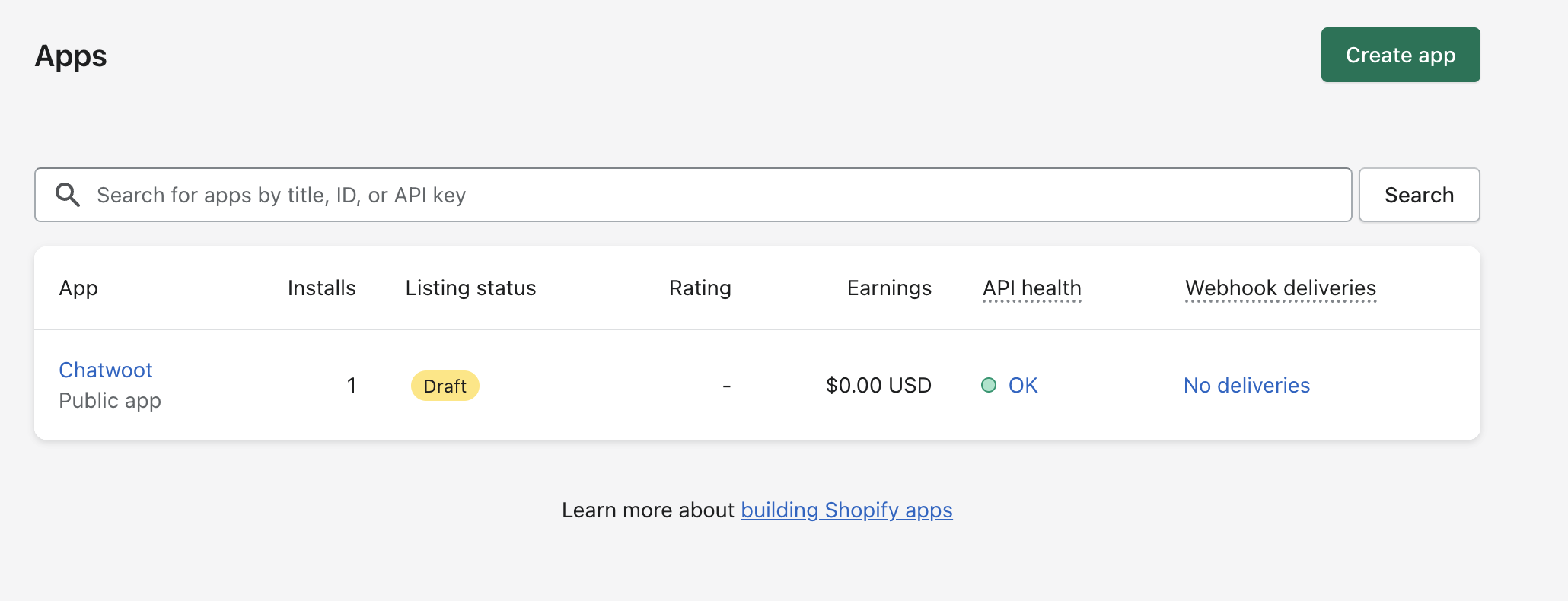
- Create a Shopify app in the shopify partner dashboard.
- Add necessary details and save the app.
- Configure Autorply with the
Client IDandClient secretobtained from the Shopify app. - Open Autorply UI, navigate to integrations, select Shopify, and click connect.
- Voila! You should now be able to use Shopify in your Autorply account.
Register and configure the Shopify app
To use Shopify Integration, you need to create a Shopify app in the shopify partner dashboard. You can find more details about creating Shopify apps at the Shopify developer portal.- Create a Shopify app.
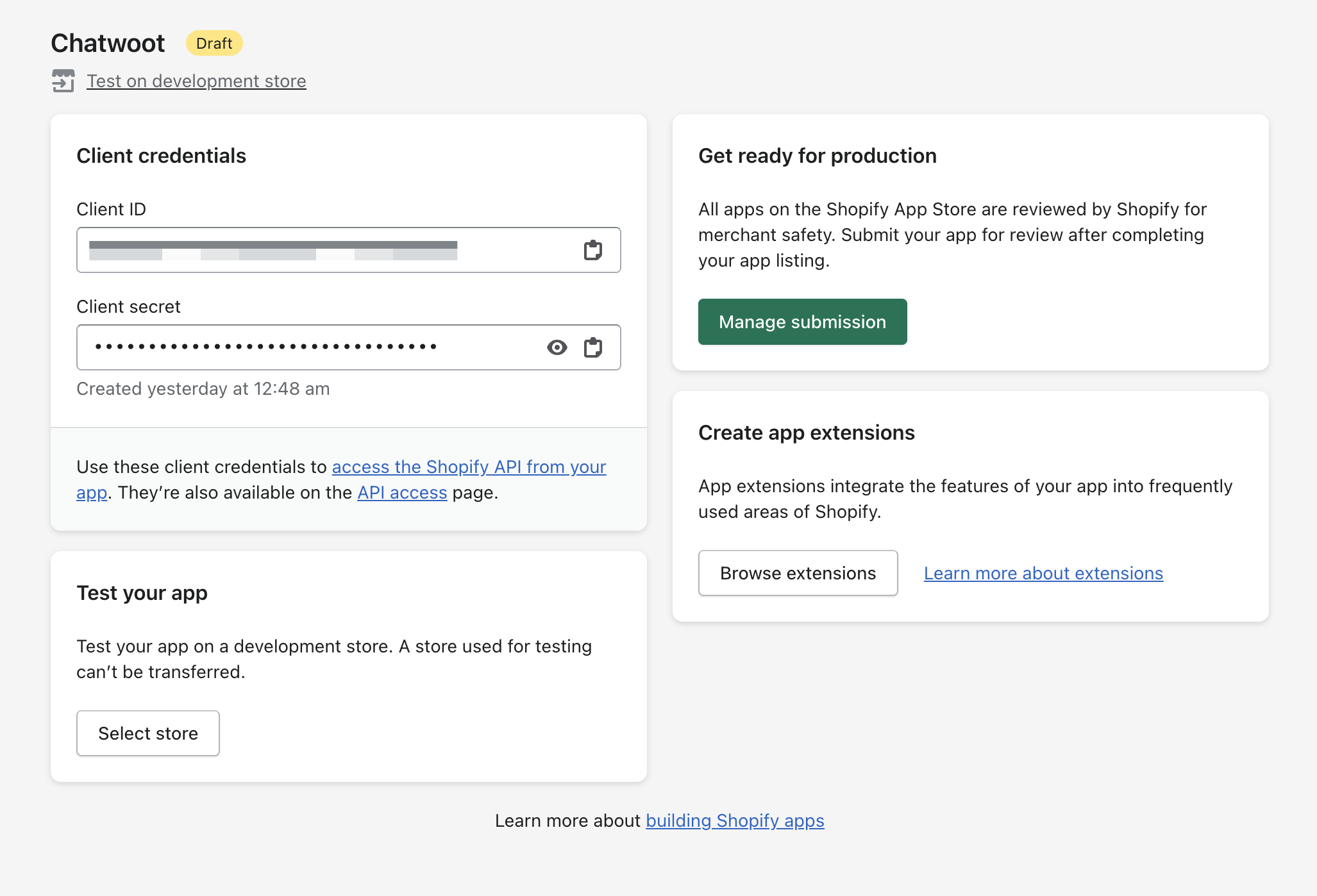
- Obtain the
Client IDandClient Secretfor the app and configure it in your app config via{Chatwoot installation url}/super_admin/app_config?config=shopify
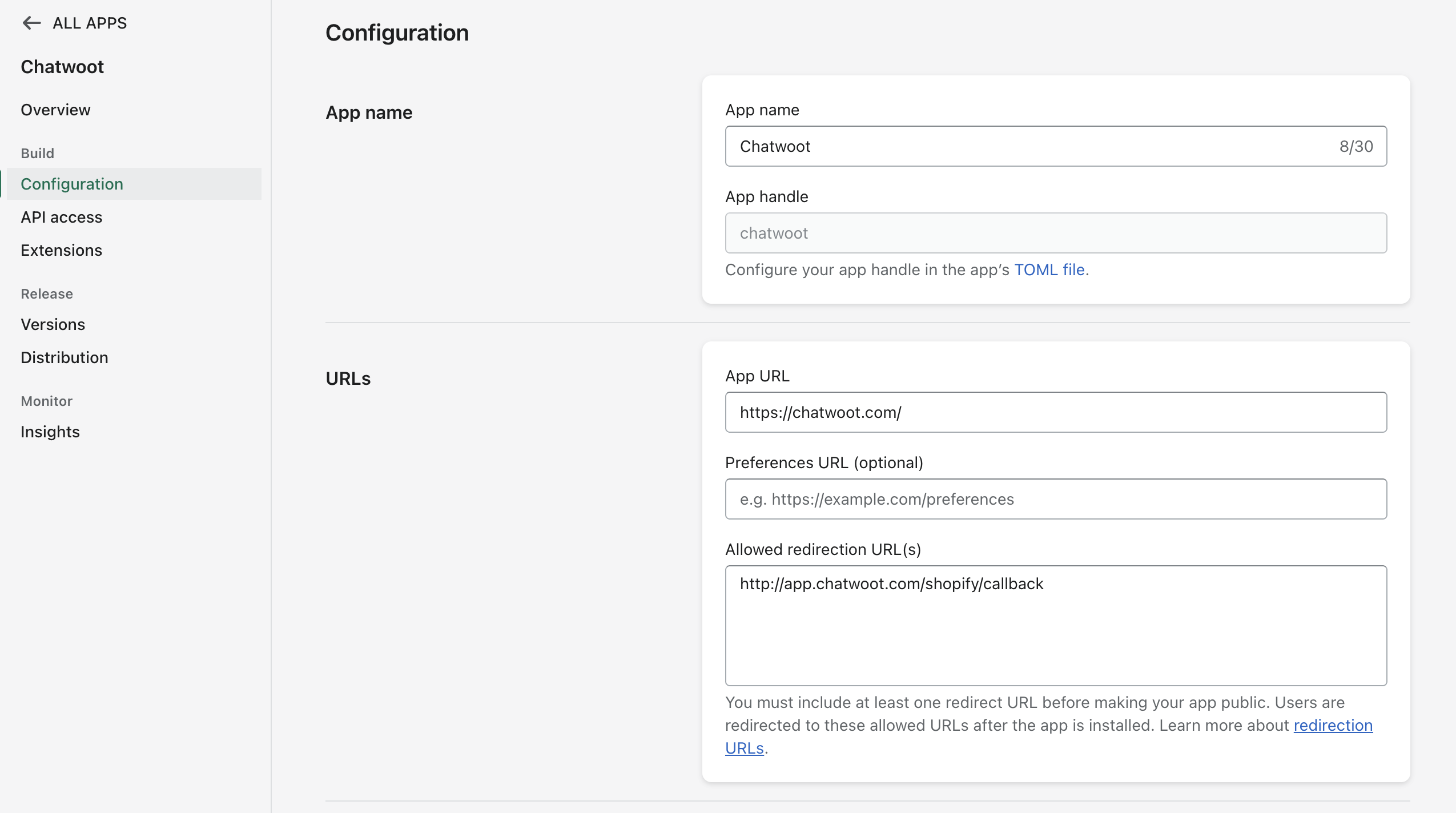
- Configure the redirect URL as
{Chatwoot installation url}/shopify/callbackin app configuration.
Shopify will only show up in the integrations section once you have configured these values.